You invented a smart algorithm for routing delivery drones. Or you created a database of every beetle species in the world and where each one lives. Now you want the world to use it, and you want to make money from it.
Without SkyBridge®, you often need to build a web app, integrate a payment gateway such as Stripe, and host it on a cloud platform such as Microsoft Azure. That can cost months of development and potentially hundreds of dollars in ongoing hosting fees.
With SkyBridge®, you can expose your service running on your ordinary laptop to the world in three minutes and three lines of code. If usage is light, you never need to pay a cent.
Our SkyBridge.RPC.Client SDK allows you to write just 3 lines of code in .NET to facilitate instant exchange of byte arrays of any size between computers behind different corporate firewalls.
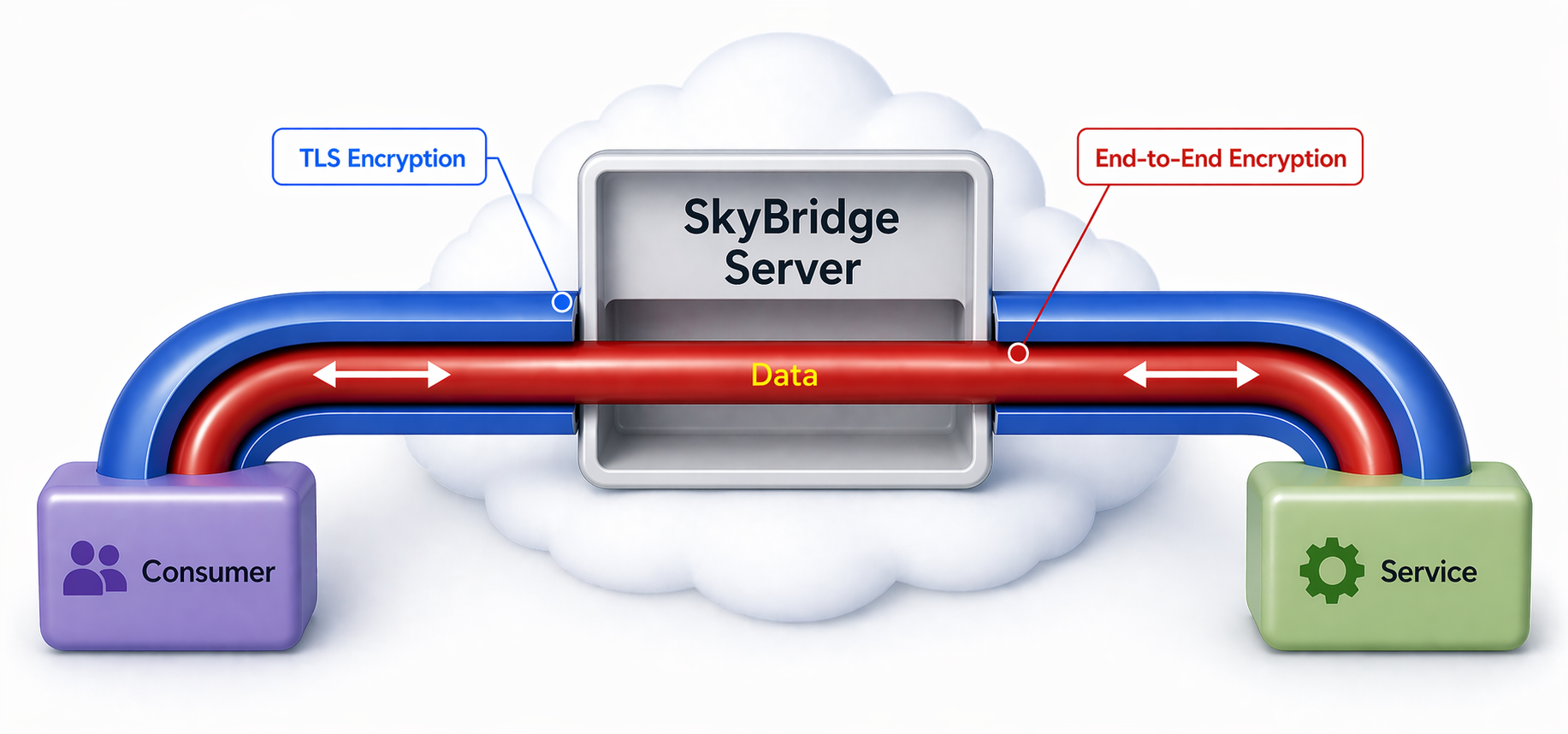
The party who receives an arbitrary byte array and responds with one is a service, while the party who sends the byte array to the service and expects one in response is a consumer.
A service mimics a website, while a consumer mimics a web browser. The platform does not charge consumers; it only charges the services for the monthly subscription, the connection hours and the data sent and received (see Pricing). Just like a website, a service can be public, which means unrelated consumers can invoke it, like cnn.com. Or it can be private, which means only explicitly authorized consumers can invoke it. It can be free to use, or it can charge a fee per invocation.
Our Proxy DLL® app uses this RPC layer. Due to its generic nature and simplicity, any application that needs to make RPC calls across firewalls can use it.
To test SkyBridge® RPC in a .NET console app:
To expose your code as an RPC service:
using FrontEdge.SkyBridge.RPC.Client;
using System;
using System.Text;
using System.Threading.Tasks;

class Program
{
    static void MyServiceProvidingFunction(object sender, ServiceInvokedEventArgs args)
    {
        Console.WriteLine($"Consumer says, \"{Encoding.UTF8.GetString(args.InvocationData)}\".");
        args.ResponseData = Encoding.UTF8.GetBytes("What's up?");
    }

    static async Task Main(string[] args)
    {
        var service = await Service.CreateUnregisteredService(
            serviceId: new Guid("5CF80BB3-62C4-4205-8333-6237A1E96BE1"),
            serviceInvoked: MyServiceProvidingFunction);

        Console.WriteLine("Service started successfully. Press any key to exit...");
        Console.ReadKey();
        await service.Terminate();
    }
}
To invoke the above RPC service:
using System;
using System.Text;
using FrontEdge.SkyBridge.RPC.Client;
using System.Threading.Tasks;

class Program
{
    static async Task Main(string[] args)
    {
        var consumer = Consumer.CreateUnregisteredConsumer(Guid.NewGuid());
        var bytesToSend = Encoding.UTF8.GetBytes("Hello!");

        var responseBytes = await consumer.InvokeService(
            new Guid("5CF80BB3-62C4-4205-8333-6237A1E96BE1"), bytesToSend);

        Console.WriteLine($"Service replied, \"{Encoding.UTF8.GetString(responseBytes)}\".");
        Console.ReadKey();
        await consumer.Terminate();
    }
}
For detailed instructions, see the SkyBridge® RPC SDK Reference.
The above example is on the Downloads page.